


Last Updated on 25/02/2026 by Alex
Ran into this one on a client engagement recently while extending the Active Directory schema ahead of a fresh Microsoft Configuration Manager installation. It’s a simple fix once you know what’s causing it, but if you’ve not seen it before it can catch you off guard. Sharing it here in case it saves someone else some time.
Issue
When I attempted to extend the AD schema on the Schema Master server, I came across this error when running extadsch.exe:

Resolution
Download and install Visual C++ Redistributable Packages for Visual Studio 2013, ensure you select the correct architecture:

Once installed, run the extadsch.exe from an administrative command prompt and note the successful status return:

To double check that the schema has indeed been extended, open adsiedit.msc, connect to the Schema naming context:

Check to see if the following entries are present:
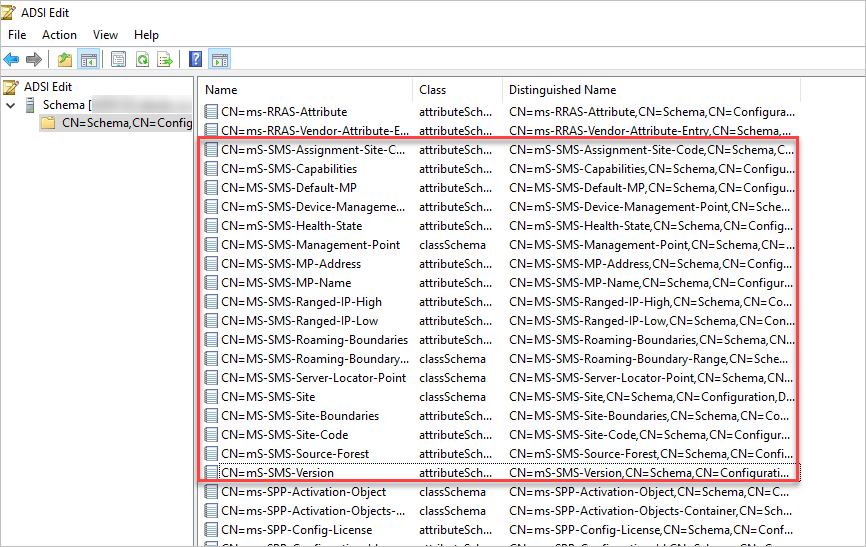
If the entries are present, the schema has been successfully extended.

